iOS · SCREEN TRANSLATION

TransPeek

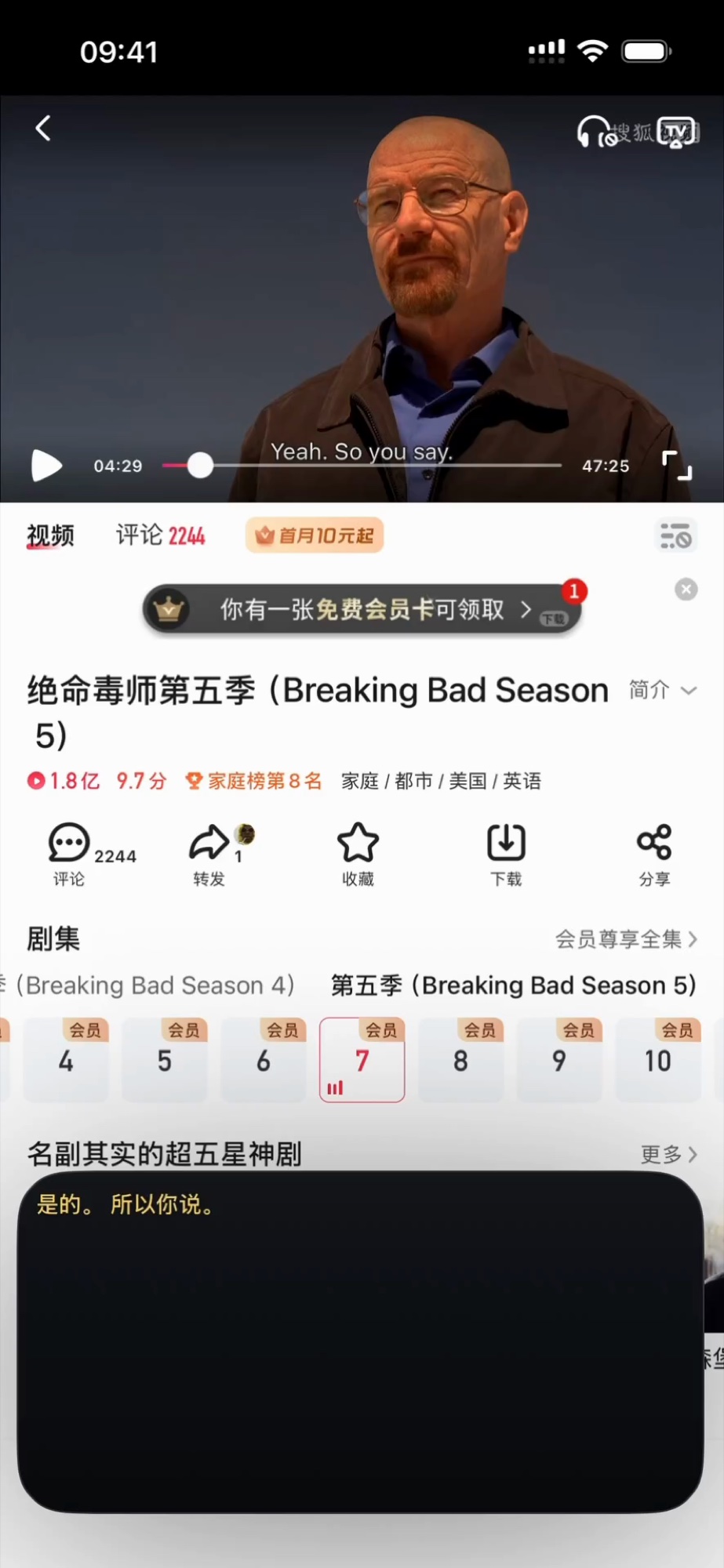
Your screen, translated. Instantly. A floating subtitle window sits on top of any app — tap Start, switch to your game or video, and read translations in real time. 100% on-device, private & offline.

DOWNLOAD ON APP STORE ↗
TransPeek
TransPeek iOS App
GET
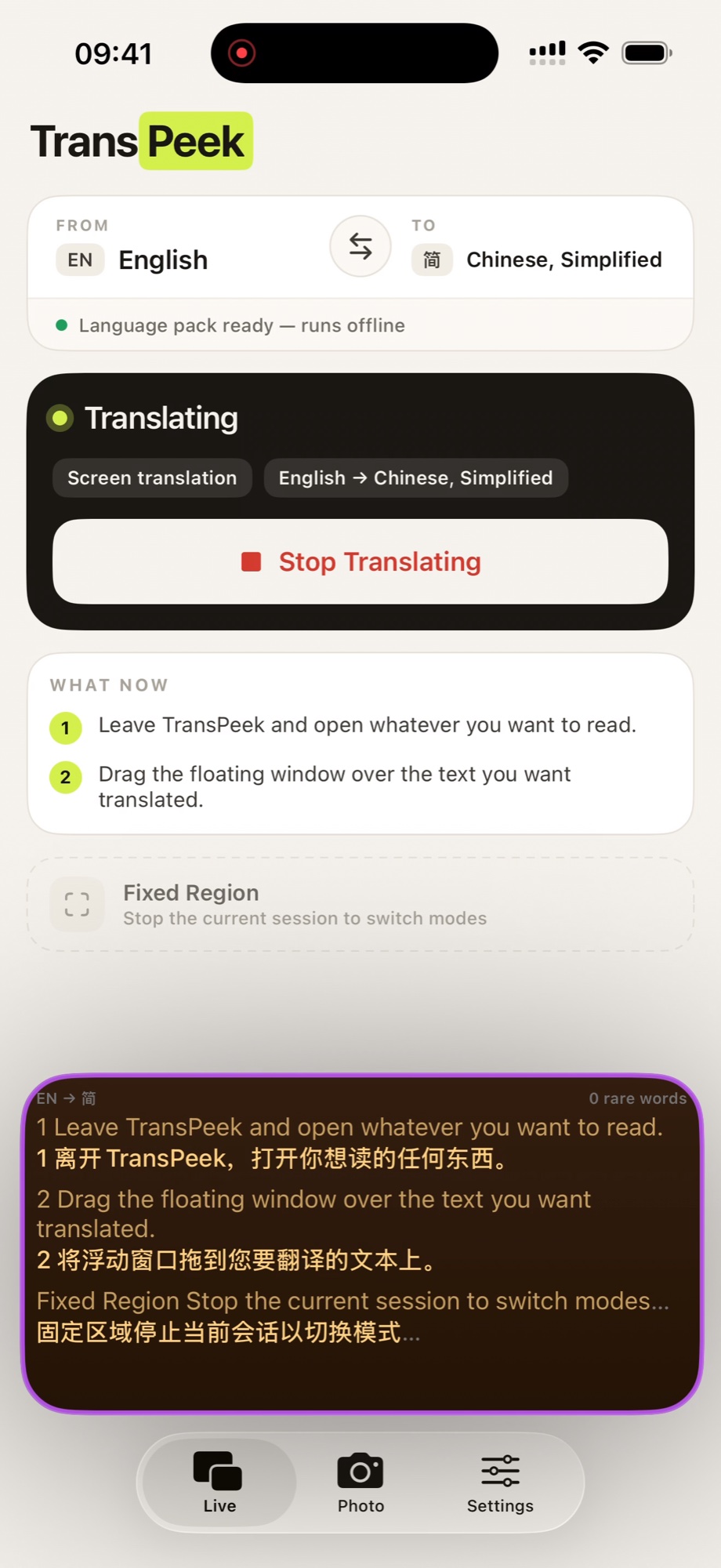
TransPeek Home — Language selection, Start Translation button, and how-it-works guide
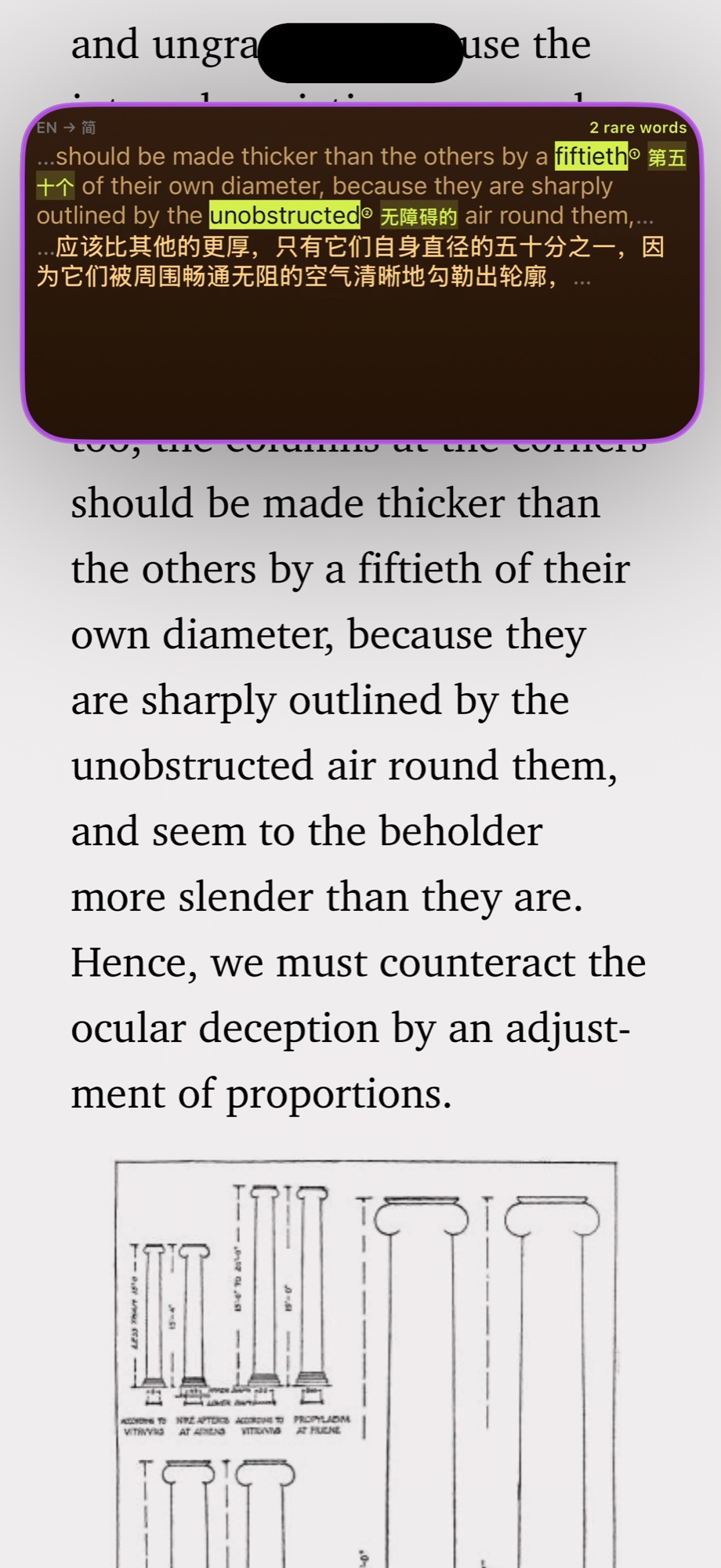
TransPeek in action — floating PiP subtitle translating a BBC webpage from English to Chinese
TransPeek in action — real-time screen OCR with highlighted text and floating translation overlay
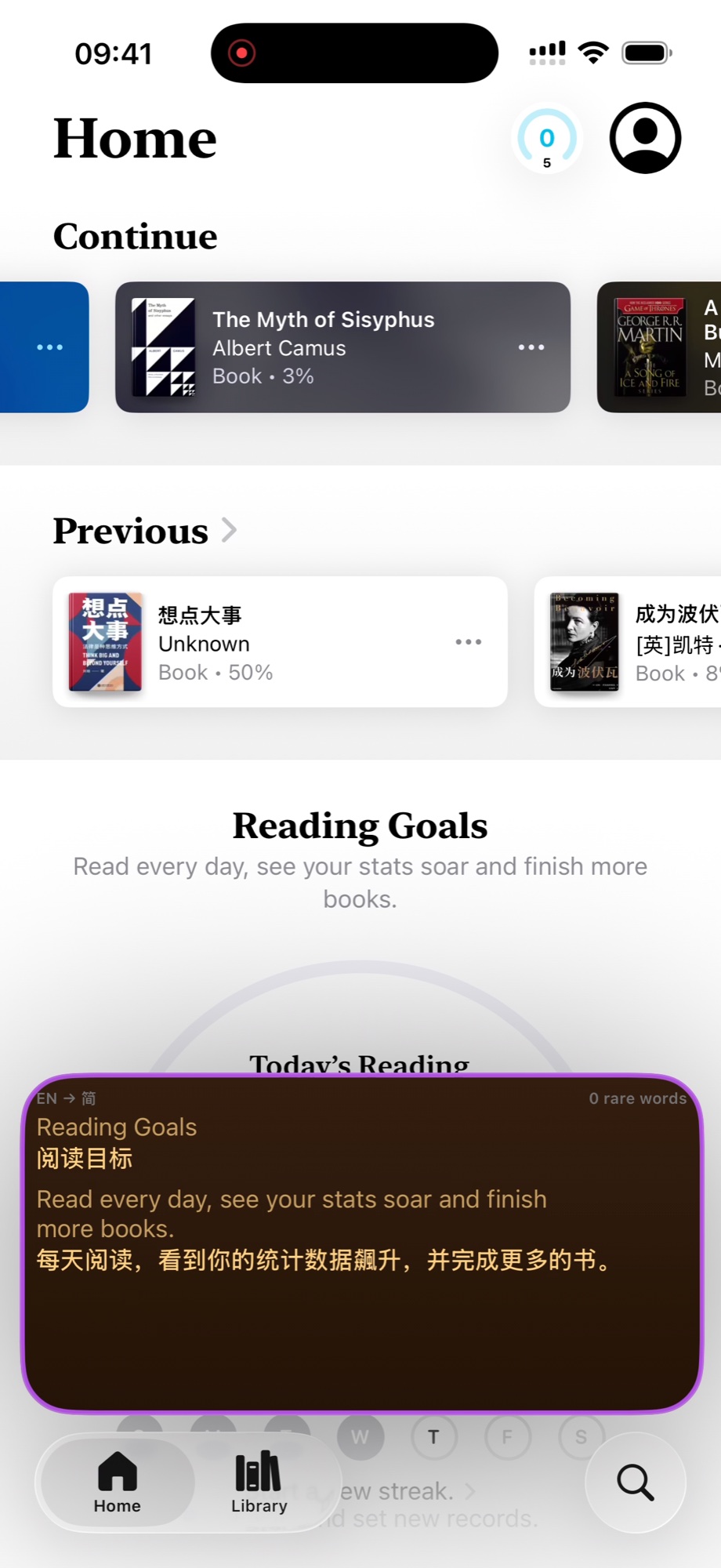
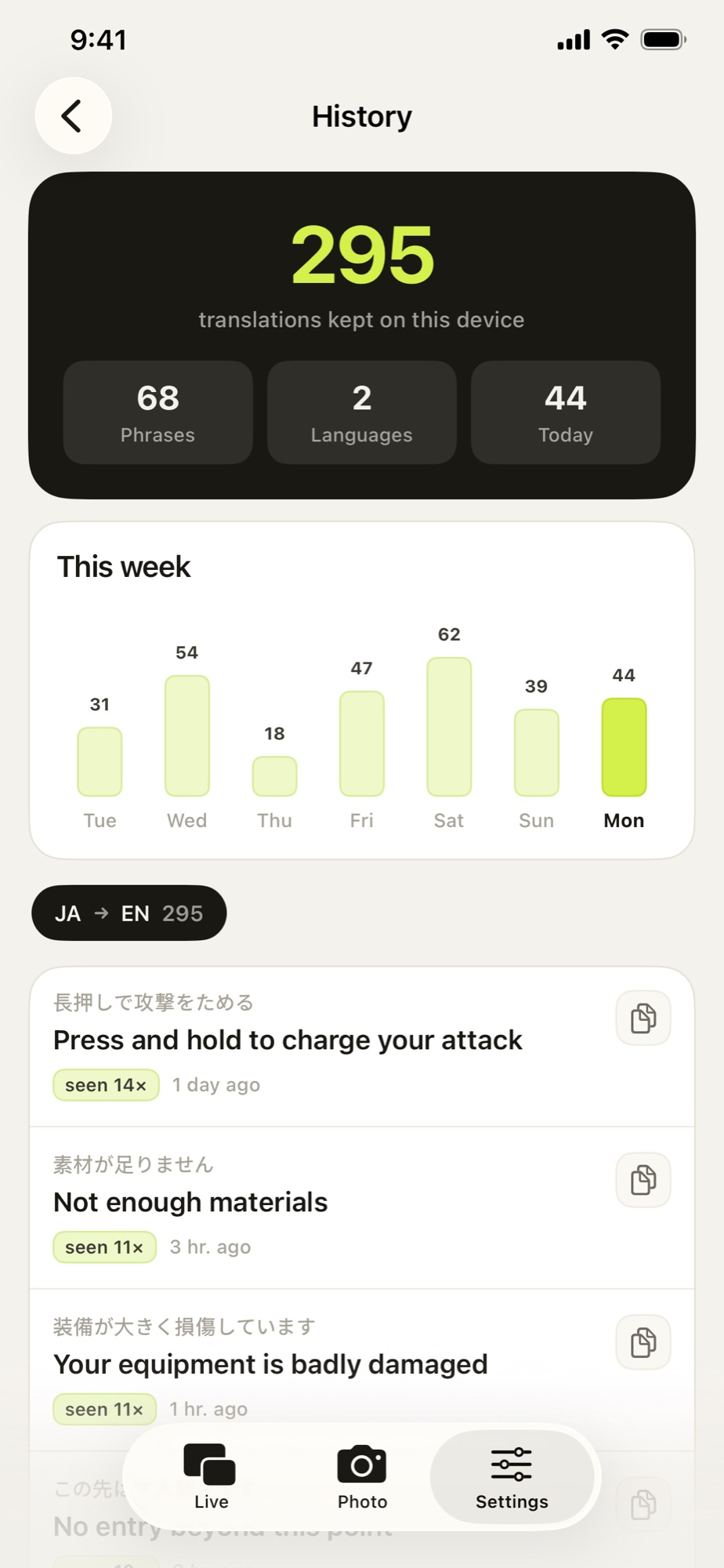
TransPeek History — translation stats dashboard with weekly chart and language breakdown

TransPeek is an iOS app that delivers real-time screen translation through a floating subtitle window. Unlike traditional translation apps that force you to switch back and forth, TransPeek uses iOS ReplayKit screen broadcast and Picture-in-Picture (PiP) technology to overlay translations directly on top of whatever you're doing — gaming, watching videos, browsing foreign websites, or reading documents. Powered by Apple Vision framework for 100% on-device OCR, your screen content never leaves your device. Just tap Start, select the broadcast, switch to any app, and read translations in a floating window that follows you everywhere. At 13 MB and a one-time $4.99 unlock, TransPeek is the lightest, most private screen translator on the App Store.

CORE FEATURES

Built for Zero-Interruption Translation

01

Floating PiP Subtitle Window

A Picture-in-Picture window floats above any app, displaying recognized text and translations in real time. Resize it, drag it anywhere on screen, or minimize it — the subtitle window follows you across every app without interruption.

02

100% On-Device OCR

Powered by Apple Vision framework, all text recognition happens entirely on your device. No screenshots uploaded, no cloud processing, no data collection. Your screen content stays private — period.

03

Works in Any App

Games, live streams, Safari, social media, PDFs, foreign-language apps — TransPeek translates whatever is on your screen. It uses iOS screen broadcast, so it works universally without per-app integration.

04

Smart Text Filtering

TransPeek intelligently filters out noise — status bar icons, timestamps, UI chrome — and focuses on the meaningful text: dialogue, articles, captions, and content you actually want translated.

05

Dynamic Island Integration

On supported iPhones, the Dynamic Island shows live translation status. Long-press to quickly pause, resume, switch languages, or stop the translation session without leaving your current app.

06

Translation History

Every translation session is saved with full text. Review past translations, track your weekly usage stats, and see language pair breakdowns — all in a clean dashboard.

07

Lightweight & One-Time Purchase

Just 13 MB — 10x smaller than competitors. Free to try, $4.99 one-time purchase to unlock unlimited use. No subscriptions, no hidden fees, no ads.

HOW IT WORKS

How TransPeek Works

01

Tap Start

Open TransPeek, choose your language pair, and tap "Start Translation". Select TransPeek from the screen broadcast popup — a floating subtitle window appears.

02

Switch Apps

Go to any app — a game, video, website, or document. TransPeek runs in the background via screen broadcast, continuously reading your screen with on-device OCR.

03

Read Translations

The floating PiP window shows translated text in real time. Drag it where you like, resize it, or tap the Dynamic Island for quick controls. Your workflow stays uninterrupted.

USE CASES

Who Uses TransPeek

Gamers

Playing Japanese RPGs, Korean MMOs, or any un-localized game? TransPeek translates dialogue, menus, and mission text in real time so you never miss the story.

Video & Streaming Fans

Watching foreign-language YouTube, TikTok, or live streams without subtitles? The floating window adds live translation without blocking the video.

Travelers & Expats

Navigating foreign-language apps, menus, transit schedules, or government websites? Point your screen at any content and read it in your language.

Students & Researchers

Reading academic papers, foreign news, or reference materials in another language? TransPeek translates entire pages while you scroll.

COMPARISON

TransPeek vs Other Screen Translators

Feature TransPeek Other Screen Translators
Privacy 100% on-device OCR, zero data collection Cloud-based, screenshots uploaded
App size 13 MB 97–139 MB
Overlay method Native iOS PiP window Custom overlay or separate app
Works in any app Yes (system screen broadcast) Limited or per-app only
Dynamic Island Live status + quick controls None
Pricing $4.99 one-time $5.99/week or subscription
13 MB App Size
$4.99 One-Time Purchase
100% On-Device OCR
FAQ

Frequently Asked Questions

What is TransPeek?

TransPeek is an iOS app that translates any screen content in real time. It uses a floating Picture-in-Picture subtitle window that overlays any app, powered by 100% on-device OCR for complete privacy.

How does TransPeek work?

TransPeek uses iOS ReplayKit screen broadcast to capture your screen, Apple Vision framework for on-device text recognition (OCR), and Picture-in-Picture technology to display translations in a floating window on top of any app.

Does TransPeek upload my screen data?

No. TransPeek uses Apple Vision framework for 100% on-device OCR. Your screen content is never uploaded, never stored, and never leaves your device. The App Store privacy label confirms zero data collection.

What apps does TransPeek work with?

TransPeek works with any app — games, browsers, video players, social media, document readers, and more. It uses iOS system-level screen broadcast, so no per-app integration is needed.

What languages does TransPeek support?

TransPeek supports translation between major languages including English, Chinese (Simplified & Traditional), Japanese, Korean, Spanish, French, German, and more. The on-device OCR supports all languages recognized by Apple Vision.

Is TransPeek free?

TransPeek is free to try. The Pro unlock ($4.99, one-time purchase) removes all time limits for unlimited OCR and translation. No subscription, no recurring fees.

How big is the app?

TransPeek is just 13 MB — roughly 10x smaller than competing screen translators. The small size is possible because all OCR runs on Apple's built-in Vision framework with no bundled models.

Does TransPeek work offline?

The OCR (text recognition) works 100% offline. Translation may use on-device or network-based engines depending on the language pair and iOS version. No screen data is ever uploaded regardless.

See Your Screen in Your Language

Download TransPeek — one tap to start, zero interruption, 100% private.

DOWNLOAD ON APP STORE ↗